
Managing Phone Numbers
Get dedicated phone numbers for your AI receptionist, assign them to agents, and optionally forward calls from your existing business number.
Overview
Infercall provides a dedicated phone number for your receptionist. You can use it in either of two ways:
- Use your Infercall number publicly — Give customers this number to call your receptionist directly.
- Keep your existing business number — Forward calls from that number to your Infercall number.
Your first phone number is included in your plan. Additional numbers cost extra.
Getting a New Number
The pictures show an example account adding an additional number in Australia.
- Open Phone Numbers
Go to Dashboard → Phone Numbers and choose "Add Number".
- Check Who Will Answer
Your receptionist is shown under "Who will answer?". If you have more than one, choose who should answer this number.
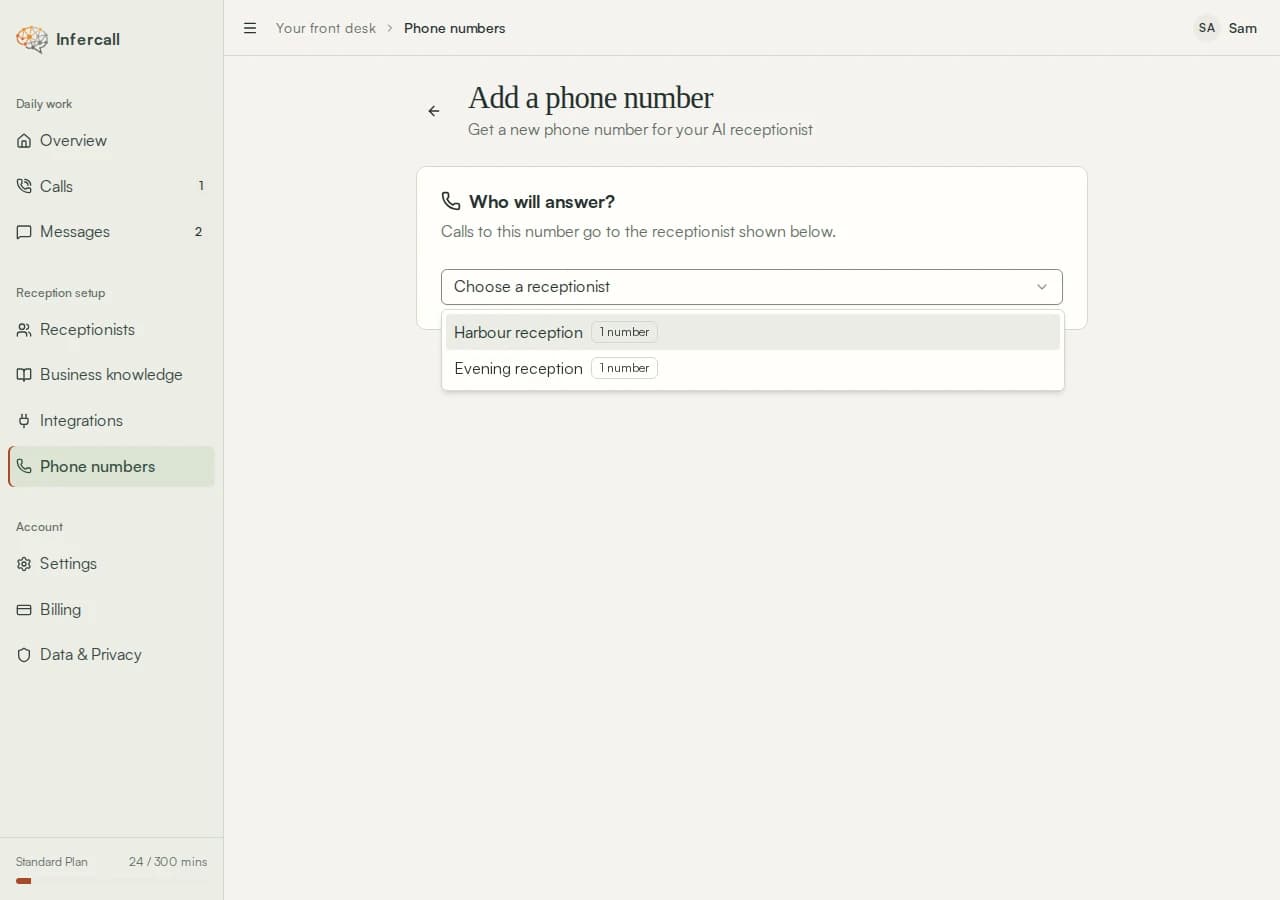
Choose the receptionist who will answer. - Set Your Number Preferences
Choose your Number Type and Country: Australia, the United Kingdom or the United States. Enter an optional Local Area Code, then choose "Search Available Local Numbers" for a local number.
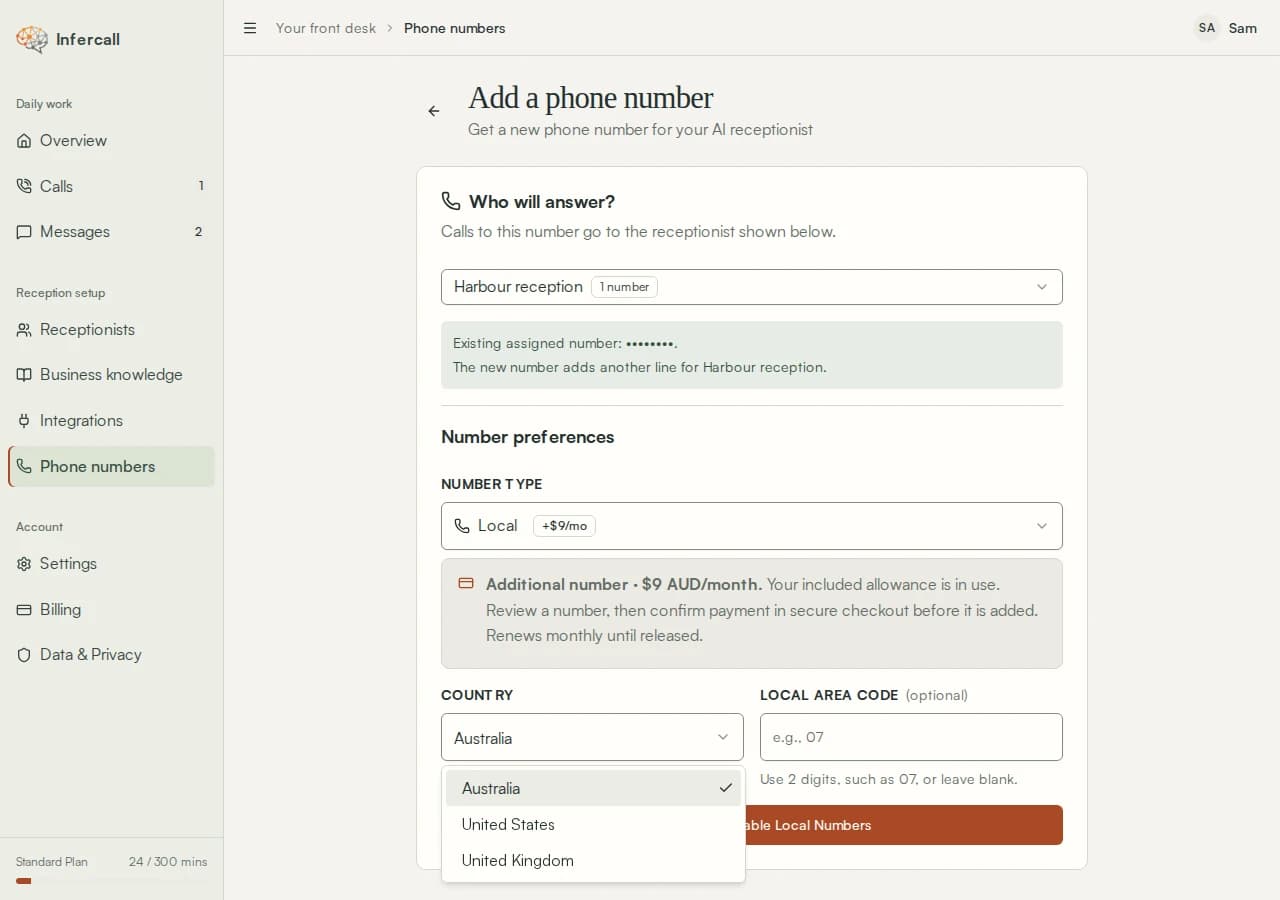
Choose the country for your new number. 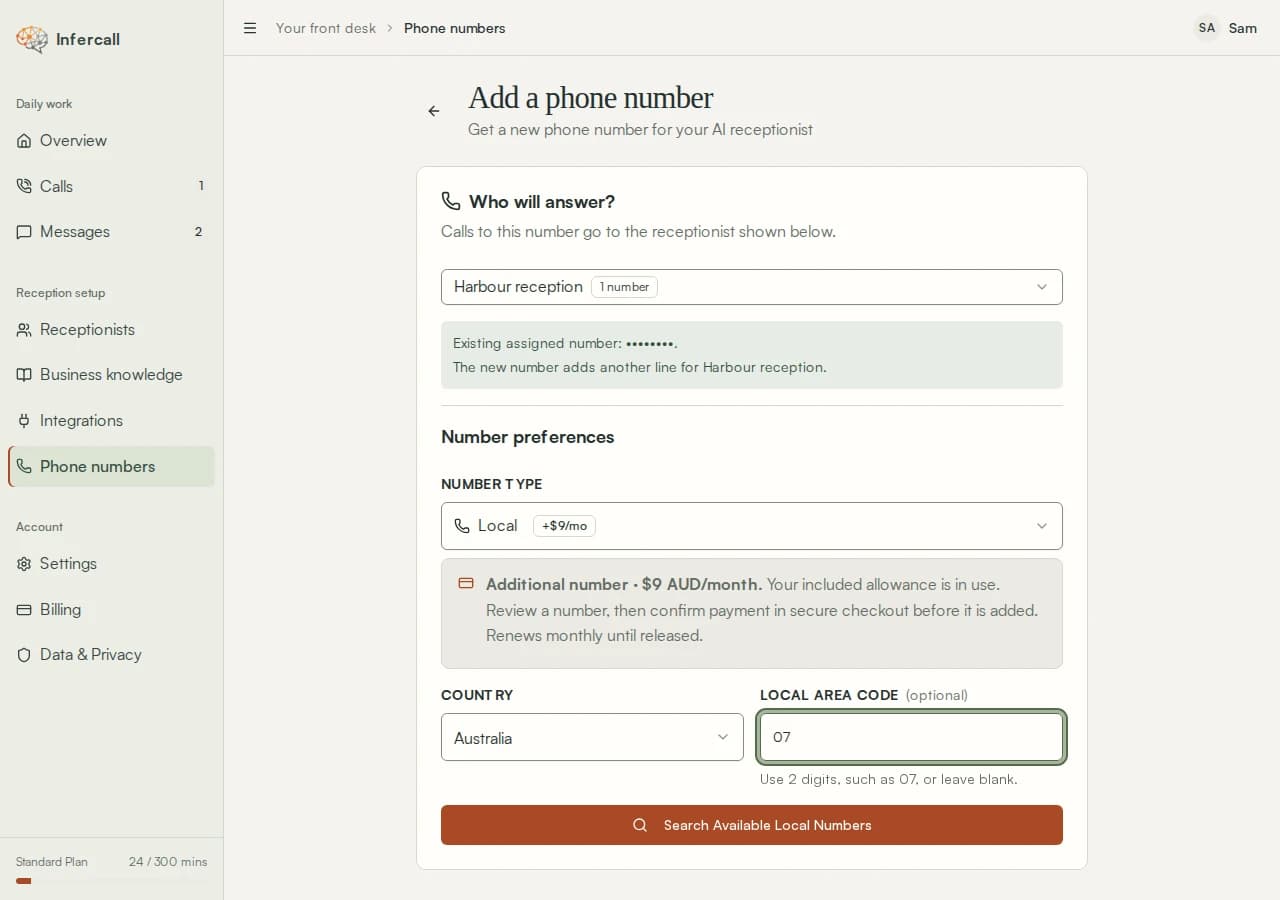
For a local number, use an area code to narrow your search. - Choose an Available Number
Select a number from the results, then choose "Review number".
- Review Your Number
Check the number, answering receptionist, country, number type and any recurring charge.
- Add the Number
Choose "Add this number", or "Continue to secure checkout" for an additional number. Once complete, the number appears in Phone Numbers with your chosen receptionist.
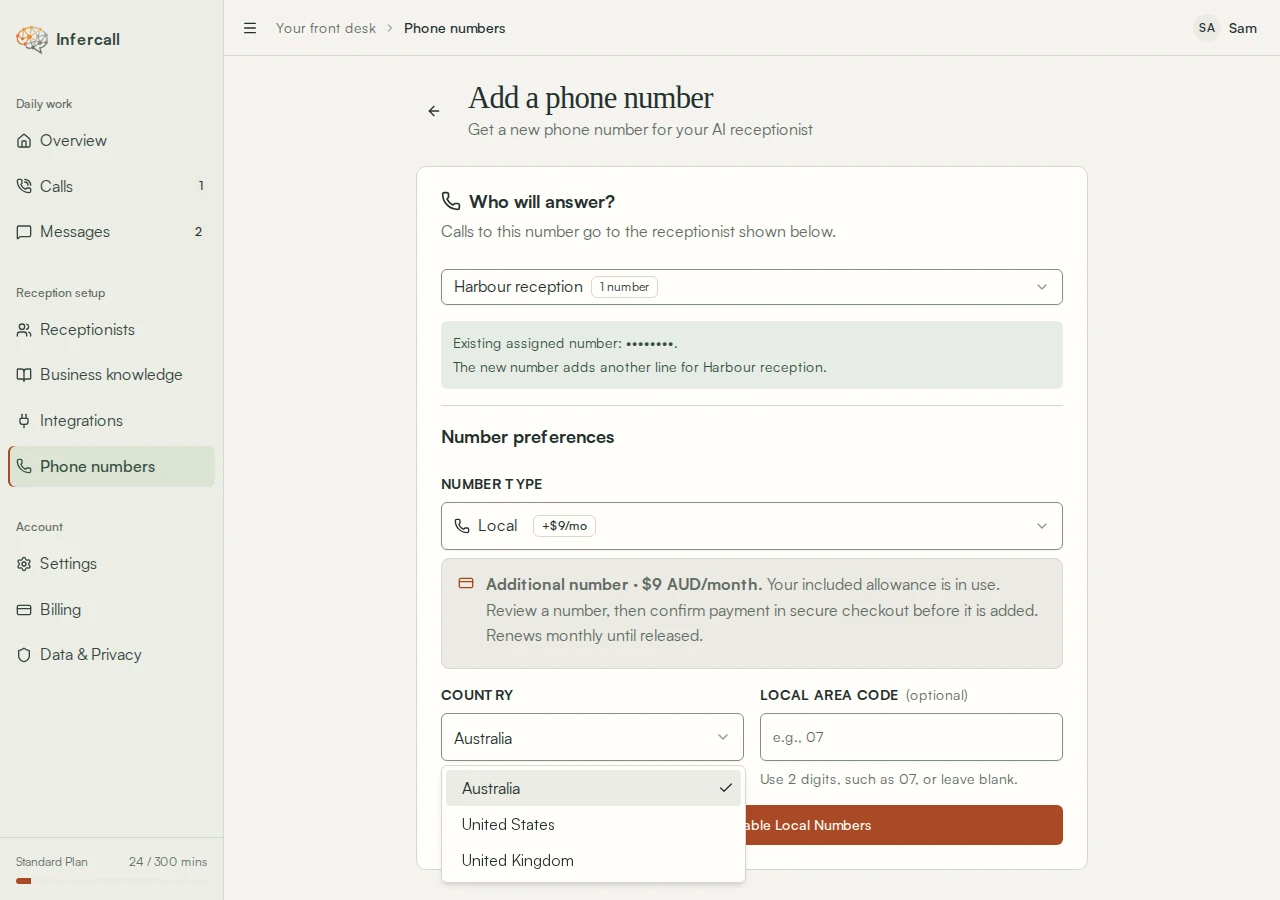
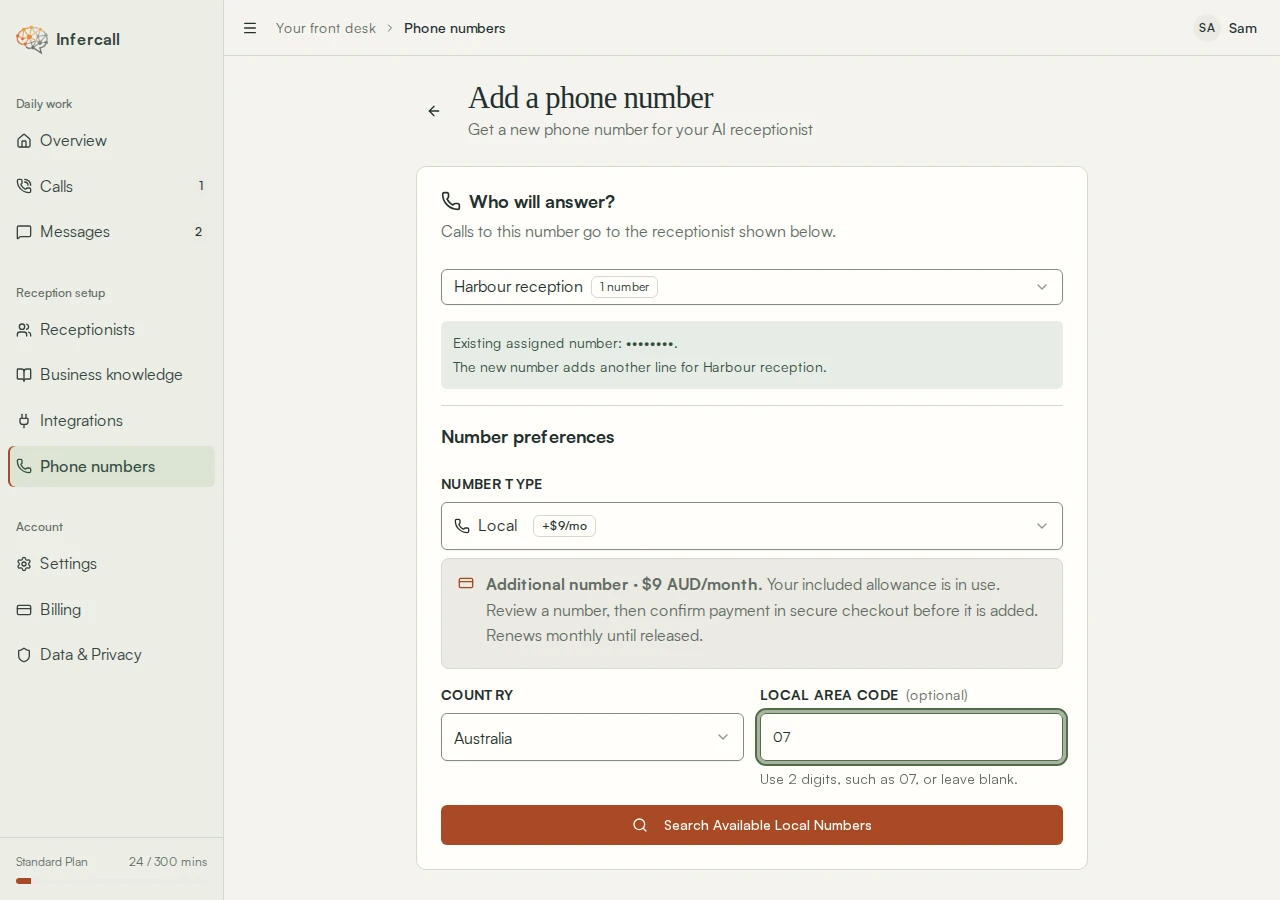
Setup demonstration · example account
Read the walkthrough
- Choose the receptionist who will answer this number.
- Choose a number type.
- Choose Australia, the United Kingdom or the United States.
- For a local number, enter an optional area code.
- Choose Search Available Local Numbers to see the available options.
Availability, number review, checkout and activation are not shown.
Managing Your Numbers
Phone Numbers Dashboard
The main phone numbers page shows all your numbers at a glance:
- Total numbers and which agent each is assigned to.
- Active vs inactive status.
- Total calls and minutes across all numbers.
- Filter by status (All, Answering, Needs attention).
- Group by agent for easy organization.
Number Detail Page
Click any number to see detailed information:
- Call statistics (total calls, duration, average call length).
- Recent calls list with quick access to details.
- Agent assignment controls.
- Call forwarding instructions specific to your number.
- Technical details (E.164 format, region, SID).
Assigning Agents to Numbers
Each phone number must be assigned to an agent. When someone calls that number, the assigned agent will answer.
To Assign or Change an Agent:
- Click on the phone number to open its detail page.
- Find the "Agent Assignment" section.
- Select an agent from the dropdown.
- Click "Assign Agent" to confirm.
To Unassign an Agent:
- Open the phone number detail page.
- In the Agent Assignment section, click the current agent.
- Select "Unassign" from the options.
Call Forwarding
If you have an existing business number you want to keep, you can forward calls from it to your Infercall number. This way, customers call your familiar number and reach your AI receptionist.
- Forward All Calls — Every call goes to your AI receptionist.
- Forward When No Answer — Only unanswered calls (recommended).
- Forward When Busy — When you're on another call.
Releasing a Phone Number
- Open the phone number's detail page.
- Scroll to the "Danger Zone" section at the bottom.
- Click "Release Number".
- Confirm in the dialog that appears.
Note: You must have an agent assigned to release a number (this prevents accidental releases).
Plan Limits & Pricing
| Plan | Included Numbers | Additional Numbers |
|---|---|---|
| Starter | 1 | Unlimited, billed separately via Stripe |
| Standard | 1 | Unlimited, billed separately via Stripe |
| Business | 1 | Unlimited, billed separately via Stripe |
| Enterprise | 1 | Unlimited, billed separately via Stripe |
Additional local number pricing: US $5/mo, UK £5/mo, AU A$9/mo. Toll-free numbers are billed at their regional rate, and all additional numbers renew monthly until you release them.